Quick Answer: If you’re tired of UAE banks asking for a 5,000 AED salary just to give you a plastic card, the Botim VIP Card is your best shortcut. It’s a multi-currency prepaid Visa that lives inside your app. You verify your ID, get a virtual card instantly for free, and can start tapping at groceries via Apple Pay or Google Wallet right away.
If you’re living in the UAE, you probably already have Botim for video calls. But it’s much more than that now. A friend of mine couldn’t open a bank account because of the 5,000 AED salary rule, and that’s when we found out about the Botim card. It solves that problem because there is no minimum salary or balance required to get started.
Whether you’re a freelancer, a student, or a worker, the Botim digital card is free. I am writing this guide to explain the entire process—from activation to payroll—so you don’t have to waste time figuring it out yourself.
What is the Botim Card exactly?
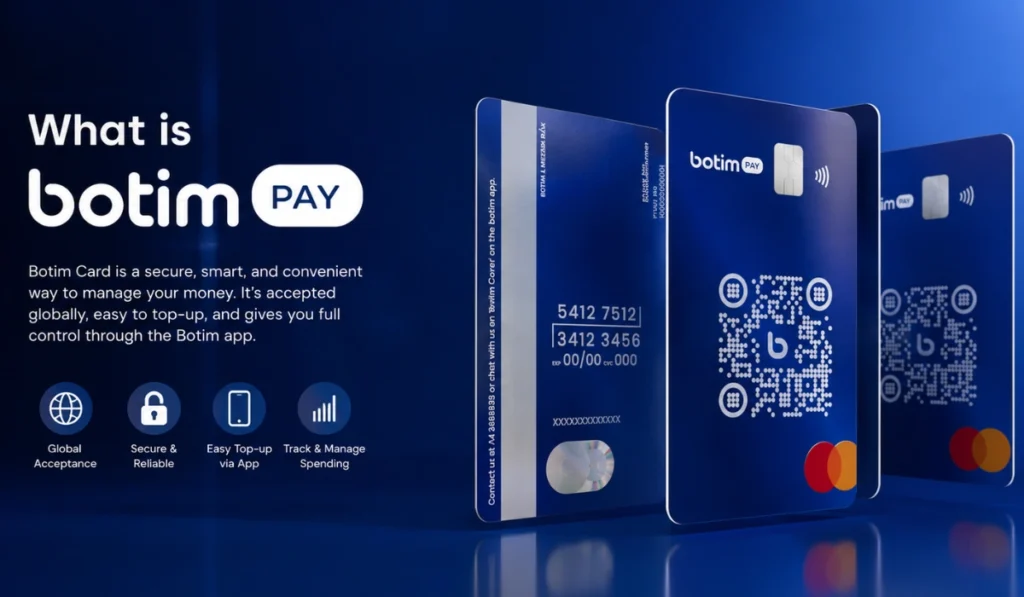
Think of it as a separate wallet for your daily spending. It isn’t a credit card, so you don’t have to worry about debt or interest. It’s a prepaid card, meaning you load it with money and spend only what you have. Since it’s powered by PayBy (which is regulated by the UAE Central Bank), it’s as safe as any traditional bank card.
Why this card is a game-changer
I’ve used a few digital cards in the UAE, and here’s why I think Botim stands out:
- Zero Salary Drama: You don’t need to show a 5,000 AED salary slip. If you have an Emirates ID, you’re good to go.
- Safer Shopping: I don’t like putting my main bank details on every random shopping site. I just move a few Dirhams to my Botim card and use that instead. If anything feels wrong, I just freeze the card.
- No More Exchange House Lines: You can load the card and send money internationally in the same app. It saves a lot of time, especially in the summer heat.
- Instant Access: You get the virtual card details the moment you’re verified. You don’t have to wait for a delivery guy to start shopping.
How to get your Botim card (Step-by-Step)
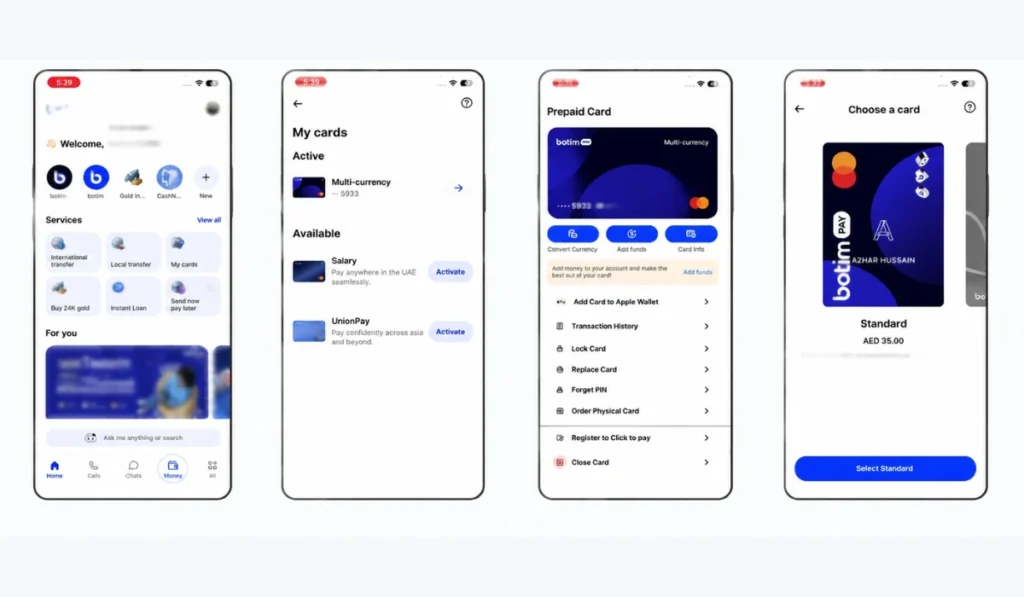
You don’t need to visit any branch. Here is the flow inside the app to get your card ready:
- Open Botim, then tap the ‘Money‘ tab at the bottom.
- Look for a section called ‘To Do‘ or click on ‘My Cards‘.
- Have your physical Emirates ID ready. The app will scan it and then ask for a quick “Face Check” (you’ll have to blink or move your head) to make sure it’s really you.
- Once the AI verifies your face, your virtual card is live. You can see your 16-digit number and CVV immediately.
- If you want a physical card to carry in your pocket, you can order one for 35 AED, and it usually shows up at your door in about 48 to 72 hours.
How to load money into the card
Loading funds is the part where most new users get confused. You can’t just swipe the card if your “Wallet” is empty. Here are the four best ways to top up your balance in 2026:
1. Linking Your Bank Card
This is probably the fastest way to get started. You can link any UAE-issued debit card to your Botim wallet to “pull” funds instantly.
However, a quick pro tip: always stick to Debit cards if you want to keep your costs low.
If you try to use a Credit card, you’ll likely be hit with a 3% processing fee, which really eats into your balance for no reason.
2. Cash Deposits via Kiosks
If you deal mostly in cash or don’t want to involve your other bank accounts, this is your best bet. You’ll find PayBy or MBME kiosks tucked away in almost every mall (like China Mall) or even at major petrol stations across the UAE.
It’s incredibly simple—you just scan your unique QR code from the app, feed the cash into the machine, and the money shows up in your wallet immediately without any extra charges.
3. Aani Instant Transfers
In 2026, the Aani system has become the absolute king of transfers in the Emirates. You don’t even need an IBAN anymore; you can just send money from any local bank app directly to your Botim mobile number.
These Aani-to-Aani transfers are usually free and a much faster way of sending money through Botim compared to old methods. If you ever need to move that money back to a traditional bank, the fee is just a tiny 0.50 AED.
4. Using the Botim Payroll Portal
This one is for the business owners and employers out there. Instead of going through the hassle of opening dozens of corporate bank accounts for your staff, you can use the Botim Payroll portal. It allows you to pay salaries directly to your employees’ cards in one go.
Once you set it up, the physical payroll cards are typically delivered to your office within 3 to 5 working days.
Insider Tips: Things Nobody Tells You
Every card has its “catches,” and you should know these before you start swiping:
- Avoid the ATM if you can: Every time you pull cash, you lose 5.25 AED. It’s much smarter to use “Tap and Pay” at the checkout—that part is totally free.
- Foreign Shopping Fees: If you’re buying something from a US or UK website in their currency, Botim charges a 3.5% cross-currency fee. It’s perfect for Noon or Amazon.ae, but be careful with international sites.
- The “Closure” Fee: If you decide to close your card, keep in mind there’s a 25 AED closure fee.
Is Botim Card safe?
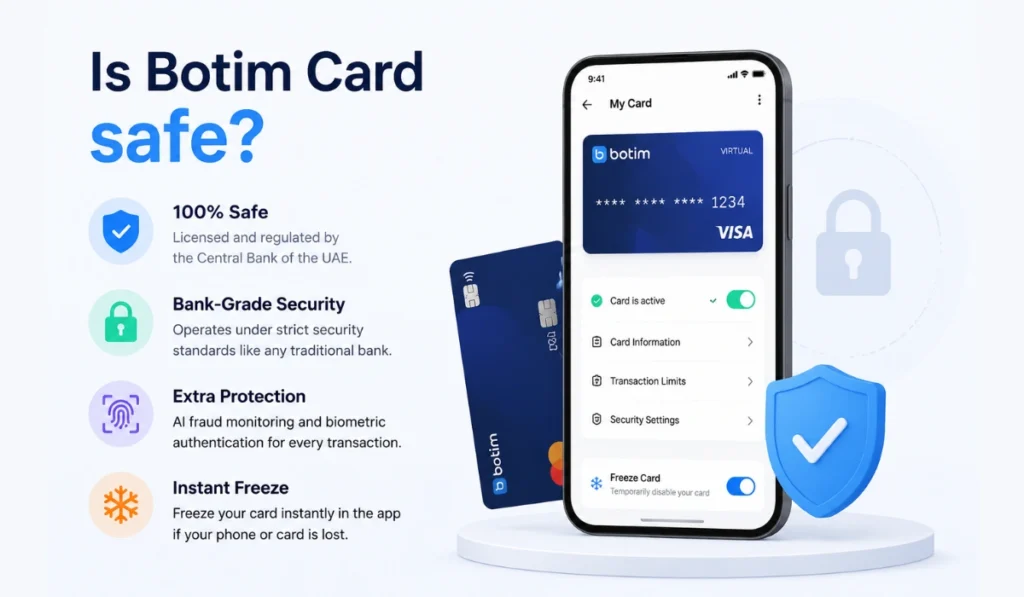
Yes, the Botim Card is 100% safe because it is officially licensed and regulated by the Central Bank of the UAE. It operates under the same strict security standards as any traditional bank, ensuring that your funds are protected by law.
For extra security, the card features AI-based fraud monitoring and requires biometric authentication (Face ID or Fingerprint) for every transaction.
If you ever lose your phone or the physical card, you can instantly “Freeze” it with a single tap in the app to prevent unauthorized spending.
Botim Card Fees to Keep in Mind (2026)
| Service | Cost |
|---|---|
| Virtual Card | FREE |
| Physical Card | 35 AED |
| ATM Cash Out (UAE) | 5.25 AED |
| Aani Transfer Fee | FREE (0.50 AED for withdrawals) |
| Balance Inquiry at ATM | 2.10 AED |
Wrapping Up!
If you’re a freelancer, student or an employer looking for payroll solutions, the Botim Card is a no-brainer. It’s fast, it works, and it is always in your pocket. Just make sure to move money from your Wallet to your Card Balance inside the Bottom app before you try to swipe!
Did this guide help you out? Or are you getting stuck on the ID scan? Let me know in the comments section below and I’ll try to help. Also, share this with anyone you know who’s struggling with UAE banking!